DIY Diagnostics Using OBD-II Data for Part Selection
So your check engine light just popped on. Again. And you’re staring at a dashboard warning that feels like a cryptic riddle. Honestly, it’s frustrating. You could take it to a shop and drop a few hundred bucks on diagnostics alone. Or—and here’s the thing—you could crack the code yourself with OBD-II data. That little port under your dash isn’t just for mechanics. It’s your backstage pass to understanding what your car actually needs. Let’s talk about using that data to pick the right parts, without guessing or overspending.
What Exactly Is OBD-II Data?
OBD-II stands for On-Board Diagnostics, generation two. It’s been mandatory in cars since 1996. Think of it as your car’s nervous system, constantly sending signals to a central computer. When something goes wrong, it stores a trouble code—a five-character alphanumeric code like P0301 or P0420. But here’s the kicker: that code alone isn’t enough. You need the data behind it. Live data streams, freeze frame data, sensor readings—that’s where the real story hides. Without that, you’re just throwing parts at a problem.
I’ve seen guys swap out an oxygen sensor three times because they only read the code. Turns out, it was a vacuum leak. OBD-II data would’ve shown them the fuel trims were way off. See the difference?
Gathering the Data: Tools You’ll Need
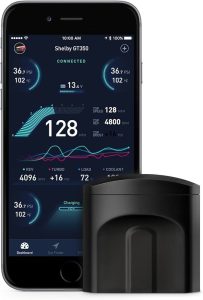
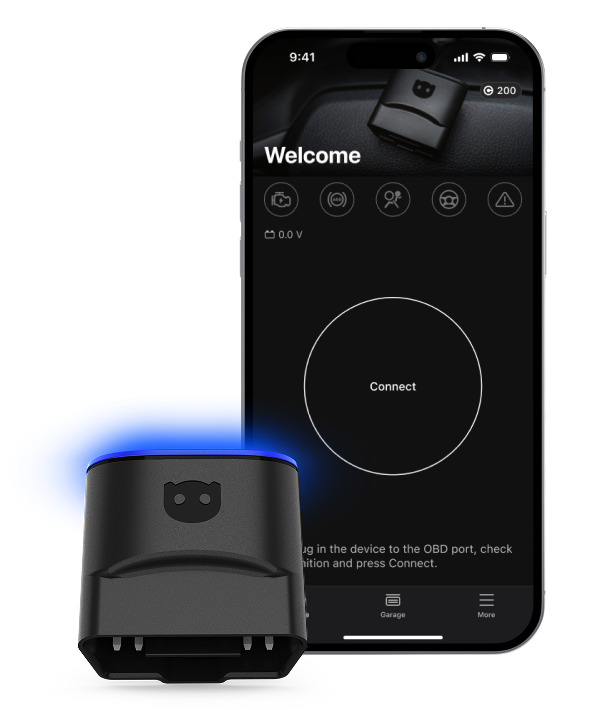
You don’t need a mechanic’s bay or a thousand-dollar scanner. A decent Bluetooth OBD-II adapter costs about $20–$40. Pair it with a free or cheap app on your phone—like Torque Pro, OBD Fusion, or Car Scanner. That’s it. Well, maybe a notebook or a screenshot button. You’ll want to record readings before you clear codes. Trust me on that.
Here’s a quick rundown of what you’ll get from live data:
- Fuel trim values (short-term and long-term) – tells you if the engine is running rich or lean.
- Oxygen sensor voltages – shows how efficiently the exhaust is being monitored.
- Engine coolant temperature – crucial for thermostat or cooling system issues.
- Mass airflow (MAF) sensor readings – in grams per second; a key indicator of air intake health.
- RPM and vehicle speed – for drivability problems.
- Throttle position – helps diagnose pedal or sensor glitches.
That’s the raw material. Now, how do you use it to pick parts?
Reading the Code, Then Reading the Room
Let’s say you pull a P0171 code—”System Too Lean (Bank 1)”. Most people immediately buy a new MAF sensor or oxygen sensor. But wait. Check your long-term fuel trim. If it’s above +15%, you’re definitely lean. But why? Look at the MAF reading at idle. A healthy 2.0L engine might show 3–5 grams per second. If it’s lower, your MAF could be dirty or failing. If it’s normal, the problem might be a vacuum leak. Spray some carb cleaner around intake gaskets while watching fuel trims—if they jump, you found your leak. No part needed except maybe a $5 gasket.
See how that works? The code points you in a direction. The data narrows it down to a specific part—or tells you it’s not a part at all.
Freeze Frame Data: Your Car’s Memory of the Moment
When a code sets, the computer saves a snapshot of engine conditions at that exact moment. That’s freeze frame data. It includes RPM, coolant temp, load, speed, and fuel trim. This is gold. For example, if a misfire code (P0300–P0304) sets at 2500 RPM under load, but the car idles fine, you’re probably looking at an ignition coil or spark plug issue—not a fuel injector. If it misfires at idle only, maybe it’s a vacuum leak or dirty injector. The freeze frame tells you where to focus.
Part Selection: From Data to Decision
Alright, you’ve got your data. Now you need a part. But not just any part—the right part. Here’s where OBD-II data saves you from buying the wrong thing.
Scenario 1: Oxygen Sensor Replacement
Code P0135 (Heater Circuit Malfunction) doesn’t always mean a bad sensor. Check the voltage. If it’s stuck at 0.45V (the “lazy” midpoint), the sensor might be dead. But if voltage fluctuates normally, the heater circuit could be a blown fuse or wiring issue. Check resistance at the sensor connector with a multimeter. If it’s open, replace the sensor. If it’s within spec, trace the wiring. Data prevents you from buying a sensor you don’t need.
Scenario 2: MAF Sensor vs. Vacuum Leak
We touched on this. But let’s get specific. A bad MAF often shows erratic readings—jumping from 2 g/s to 8 g/s without throttle change. A vacuum leak shows steady, low MAF readings with high fuel trims. The fix? Clean the MAF with proper cleaner (don’t touch the wire!). If that doesn’t work, replace it. But if it’s a leak, buy a smoke machine or use the carb cleaner trick. No MAF purchase needed.
Scenario 3: Coolant Temperature Sensor
Code P0118 (High Input) often leads to a new sensor. But check the live data. If the coolant temp reads -40°F, the sensor is shorted or open. If it reads 200°F on a cold engine, it’s stuck. Replace it. But if the temp reads normal and the code is intermittent, maybe it’s a wiring chafe. Data tells you if the sensor itself is the culprit.
Common Mistakes When Using OBD-II Data for Parts
I’ll be honest—people mess this up all the time. Here’s what to avoid:
- Clearing codes before recording data. You lose freeze frame and history. Always screenshot first.
- Ignoring pending codes. These are codes that haven’t triggered the light yet. They’re early warnings.
- Assuming one code = one part. A P0420 (catalyst efficiency) could be a bad cat, but also a lazy oxygen sensor or exhaust leak. Data confirms.
- Using generic parts without checking specs. OBD-II data can show you if a part’s output matches factory specs. Compare live readings to known values.
- Not verifying the fix. After replacing a part, clear codes and drive. Monitor live data to see if the issue resolved. If fuel trims don’t return to near zero, you missed something.
When Data Isn’t Enough… And When It Is
Sometimes, OBD-II data points to a part but doesn’t guarantee it’s bad. For instance, a knock sensor code (P0325) might show no knock activity in live data, but the sensor could still be intermittent. In those cases, you might need a scope or a mechanic. But for 80% of common issues—misfires, oxygen sensor failures, MAF problems, thermostat issues—data is your best friend.
And here’s a little secret: many auto parts stores will read your codes for free. But they won’t give you live data. That’s on you. Spend the $20 on an adapter. It pays for itself the first time you avoid buying a $150 part you didn’t need.
A Quick Table: Common Codes and Data Clues
| Code | Common Issue | Live Data to Check | Likely Part |
|---|---|---|---|
| P0301 | Cylinder 1 misfire | RPM, misfire count, fuel trim | Spark plug, coil, injector |
| P0420 | Catalyst efficiency low | O2 sensor voltages (Bank 1) | Catalytic converter or O2 sensor |
| P0171 | System lean (Bank 1) | Fuel trim, MAF g/s, O2 voltage | MAF sensor, vacuum leak, fuel pump |
| P0128 | Coolant thermostat | Coolant temp vs. ambient | Thermostat |
| P0455 | Evap system large leak | Fuel tank pressure, purge flow | Gas cap, vent valve, hose |
That table isn’t exhaustive, but it’s a starting point. Always cross-reference with your specific vehicle’s service manual—some models have quirks.
Putting It All Together: A Real-World Example
Let’s walk through a real scenario. You’ve got a 2012 Honda Civic with a P0302 code—cylinder 2 misfire. You plug in your adapter and check freeze frame: misfire occurred at 1800 RPM, 30% throttle, engine warm. Live data shows fuel trim at +5% (normal). You swap the coil from cylinder 2 to cylinder 3. Clear codes, drive. Now you get P0303. Bingo—the coil is bad. You buy one coil, not a set of four. Cost: $40 instead of $160. That’s the power of data-driven part selection.
But if the misfire had moved with the spark plug instead? Then you’d buy a plug. Or if it didn’t move at all? Maybe a fuel injector or compression issue. Data doesn’t lie—it just needs interpretation.
Final Thoughts (Without the Fluff)
DIY diagnostics using OBD-II data isn’t about being a professional mechanic. It’s about being a smarter car owner. You save money, time, and the headache of returning parts that didn’t fit. Sure, it takes a little learning curve. But honestly, once you start watching live fuel trims or oxygen sensor waveforms, you’ll never go back to guessing. Your car talks—you just have to listen with the right tools. And now you know how.
So next time that check engine light glares at you, don’t panic. Grab your phone, plug in the adapter, and let the data guide you. It’s cheaper than a shop, faster than a forum thread, and way more satisfying.
[Meta title: DIY Diagnostics Using OBD-II Data for Part Selection | Meta Description: Learn how to use OBD-II live data to choose the right car parts, avoid guesswork