How to Read a Modern Car’s OBD-II Data
So, you’ve got that little check engine light glowing on your dash—again. Or maybe you’re just curious about what your car’s brain is really thinking. Either way, tapping into your vehicle’s OBD-II data is like getting a backstage pass to your engine’s performance. Honestly, it’s easier than you think. Let’s walk through it.
What Exactly is OBD-II?
OBD-II stands for On-Board Diagnostics, generation two. It’s a standardized system that’s been mandatory in all cars sold in the U.S. since 1996. Think of it as your car’s nervous system—constantly monitoring sensors, emissions, and performance. Every time you start the engine, it runs a self-check. If something’s off, it stores a trouble code.
But here’s the kicker: reading that data isn’t just for mechanics anymore. With a cheap adapter and a smartphone, you can see what your car sees. Cool, right?
What You’ll Need to Get Started
Before you dive in, gather a few things. Don’t worry—it’s not a huge investment. Most of this stuff is under $50.
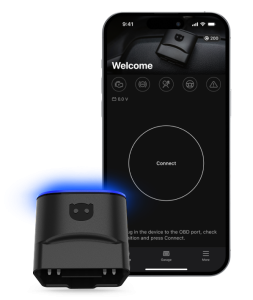
- An OBD-II scanner or adapter — Bluetooth or Wi-Fi. ELM327 chips are the most common; they’re cheap and work with most apps.
- A smartphone or tablet — Android or iOS, doesn’t matter much.
- An OBD-II app — Torque (Android), OBD Fusion (iOS), or Car Scanner are solid picks. Some are free, some cost a few bucks.
- Your car’s OBD-II port — Usually under the dashboard, near the steering column. Sometimes behind a little panel. If you can’t find it, check your owner’s manual.
That’s it. No special tools, no mechanic certification. Just plug, pair, and probe.
Step-by-Step: Reading Your First Codes
Alright, let’s get our hands dirty—figuratively, anyway. Here’s the deal:
- Locate the port. It’s a trapezoidal 16-pin connector. Slide the adapter in until it clicks.
- Turn the ignition to “ON” — but don’t start the engine. This powers up the OBD-II system.
- Pair your device. Open Bluetooth settings, find the adapter (often named “OBDII” or something generic), and connect. Default PIN is usually 1234 or 0000.
- Launch your app. It should auto-detect the adapter. If not, check the app’s settings for manual pairing.
- Read the codes. Look for a “Read Codes” or “Diagnostic Trouble Codes” button. The app will pull any stored codes.
You’ll see something like P0301 or P0420. That’s a five-character code. The first letter tells you the system: P for powertrain, B for body, C for chassis, U for network. The numbers narrow it down. Don’t panic—just Google the code or check the app’s built-in library.
But Wait—What About Live Data?
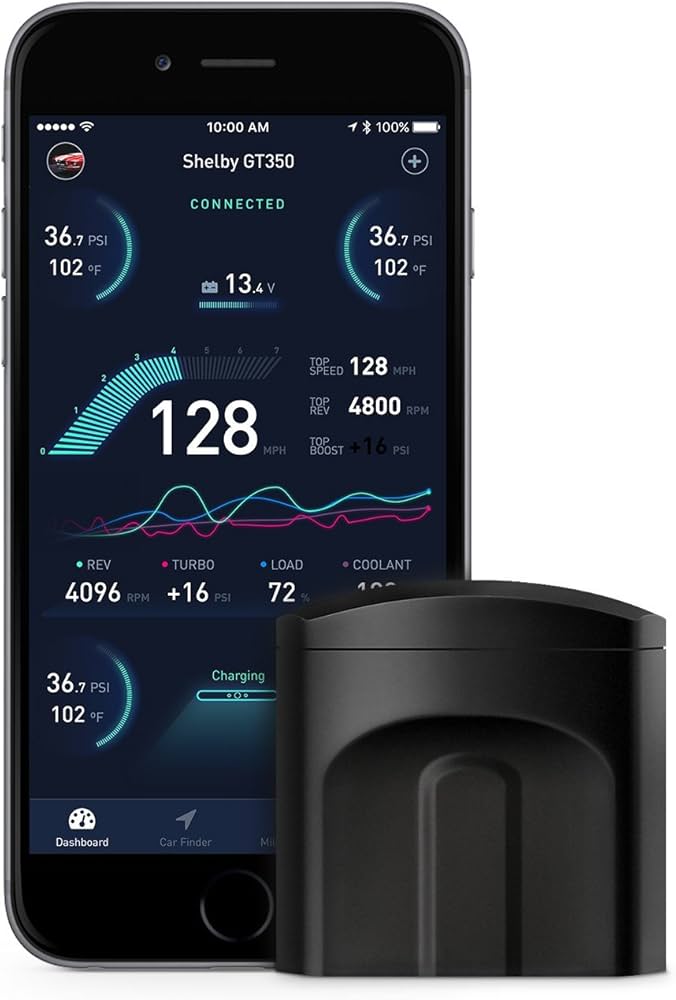
Reading codes is just the appetizer. The main course is live data. This is real-time info from your car’s sensors—engine RPM, coolant temperature, oxygen sensor readings, fuel trim, even throttle position. It’s like watching your car’s vital signs on a monitor.
To access it, look for a “Live Data” or “Data Stream” option in your app. You’ll see a scrolling list of numbers. Some apps let you graph them, which is super handy for spotting intermittent issues—like a misfire that only happens at highway speeds.
Understanding Common Codes (Without a PhD)
Let’s be real—codes can look like alphabet soup. But a few pop up all the time. Here’s a quick cheat sheet:
| Code | Common Meaning | What to Check |
|---|---|---|
| P0300 | Random/multiple misfire | Spark plugs, coils, fuel system |
| P0420 | Catalytic converter efficiency low | Exhaust leaks, O2 sensors, cat itself |
| P0171 | System too lean (bank 1) | Vacuum leaks, MAF sensor, fuel pressure |
| P0455 | Large EVAP leak | Gas cap loose, hoses, purge valve |
| P0401 | EGR flow insufficient | EGR valve, passages, DPFE sensor |
Now, a word of caution: codes don’t always point to the root cause. A P0420 might mean a bad cat, but it could also be a lazy oxygen sensor. That’s where live data helps—you can compare sensor readings to confirm.
Using Live Data Like a Pro
Imagine you’re a doctor, but for your car. Live data is your stethoscope. Here are a few key parameters to watch:
- Engine Coolant Temperature (ECT) — Should stabilize around 190-220°F after warm-up. If it’s low, thermostat might be stuck open. If high, cooling system issue.
- Oxygen Sensor Voltage (O2) — Should bounce between 0.1V and 0.9V. If it’s stuck flat, the sensor’s dead.
- Fuel Trim (Short and Long Term) — Ideally near 0%. If it’s above +10% or below -10%, something’s off—like a vacuum leak or rich condition.
- Mass Air Flow (MAF) Rate — At idle, expect 3-7 grams/second. At highway speeds, 10-20 g/s. Big deviations mean a dirty or failing MAF.
Honestly, just watching these numbers while you drive can reveal patterns. A slight hesitation? Check the throttle position sensor. Rough idle? Look at the IAC (idle air control) value. It’s addictive once you start.
Don’t Forget the Freeze Frame
When a code sets, the system saves a “freeze frame” of data from that exact moment. It’s like a snapshot of conditions—engine speed, load, fuel pressure, etc. This is gold for diagnosing intermittent problems. Your app should have a “Freeze Frame” option. Check it before you clear any codes.
Common Mistakes (And How to Avoid Them)
Look, we’ve all been there. You plug in the scanner, see a code, and immediately buy a new part. Then the light comes back. Here’s what to watch out for:
- Clearing codes without fixing the issue. That just hides the symptom. The light will return.
- Assuming a code means a part is bad. A P0301 (cylinder 1 misfire) might be a bad coil, but it could also be a clogged injector, low compression, or even a vacuum leak.
- Using a cheap adapter with a slow refresh rate. Some ELM327 clones are laggy. Spend a little more on a quality adapter (like the OBDLink MX+) for smoother live data.
- Ignoring pending codes. These are codes that haven’t triggered the check engine light yet. They’re early warnings. Don’t ignore ’em.
Oh, and one more thing—never disconnect the battery to clear codes unless you want to reset your radio presets and learned transmission adaptations. Use the app to clear them properly.
When to Call a Mechanic (Even With All This Data)
Here’s the thing: reading OBD-II data makes you smarter, but it doesn’t make you a mechanic. If you see a code like P0300 and your car’s shaking like a washing machine, sure—you might swap spark plugs. But if the problem persists after basic fixes, or if you’re dealing with transmission or ABS codes, it’s time to hand it off.
Sometimes the data points to a deeper issue—like a failing ECU or wiring harness damage. That’s beyond DIY territory. But at least you can walk into the shop armed with information. That alone can save you from unnecessary repairs.
Final Thoughts: Your Car, Your Data
Reading OBD-II data isn’t just about fixing problems—it’s about understanding your car’s language. You start to notice patterns. You catch issues early. You save money. And honestly, there’s a weird satisfaction in seeing those live numbers dance across your phone screen while you drive.
So grab a scanner, download an app, and start poking around. Your car has a lot to say. You just need to listen.